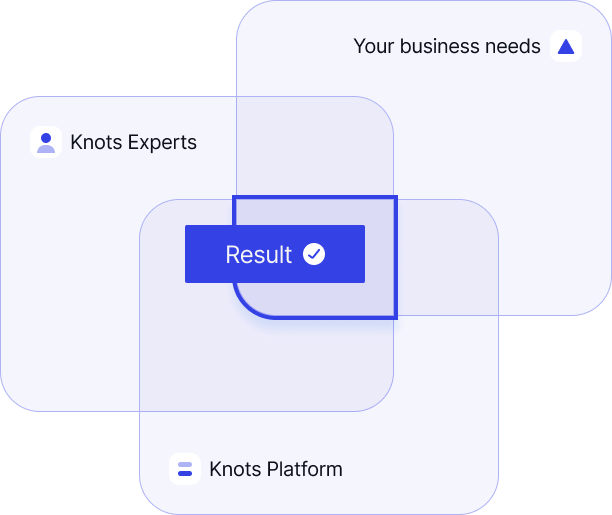
Your business is unique. Our knots automation experts deep-dive into your business needs to deliver tailored automations on the Knots Platform that drive real results.
Fast ROI in 3 Steps
STEP 1
Evaluation
Process Mining & Expert-Led AI Strategy
Clarify in your business vision
Analyze your existing workflows and tools
Identify bottlenecks and inefficiencies
Assess your AI readiness
Co-create a clear roadmap
STEP 2
Action
Done in 1 week - instead of months
Close gaps by leveraging unstructured data
Focus on high ROI use cases first
Implement secure AI orchestration
Deliver instant automation
Continuous support for optimization
STEP 3
Result
Outcomes & Advantage
Fast ROI
End-to-End automation
Competitive Advantage
Clarity on AI-Strategy
Full Control & Compliance
Our automation experts
AI is moving fast – your business shouldn’t fall behind.
Our automation experts navigate through the complexity and deliver smart, impactful solutions.
Flow is the engine behind every Knots automation. It helps us understand messy inputs, apply your rules, and move work across systems fast. You do not need to learn a new platform or run another internal implementation project. You tell us what needs to happen. Knots gets it live.
See how Liberty Debt Relief streamlined operations with Knots, automating Zendesk and other workflows. Now, 25% of daily emails and 75% of billing run automatically, reducing errors and training time. Instead of adding an agent per 500 clients, each rep now handles 650, boosting efficiency and client satisfaction
Every manual step introduces risk. With automation, our team can focus on high-value work instead of copy-pasting. Even a single typo in contact info could mean a filmmaker loses a day of production. Knots Studio helps us avoid that – and makes our processes smarter and faster.
With Knots, we’ve eliminated repetitive tasks like routing and typing SAP reference numbers – things that used to slow us down across thousands of tickets. Now, complex emails are routed instantly, agents can respond faster, and everything is logged in the right place automatically.
We’ve automated 25% of our emails, 65-75% of our billing tasks and scaled operations without increasing training time. It’s allowed us to focus on growing and retaining clients.
Nancy Liberty Debt Relief
With Knots, we’ve eliminated repetitive tasks like routing and typing SAP reference numbers – things that used to slow us down across thousands of tickets. Now, complex emails are routed instantly, agents can respond faster, and everything is logged in the right place automatically.
Stephan Costumer Leader, thyssenkrupp Rasselstein
Every manual step introduces risk. With automation, our team can focus on high-value work instead of copy-pasting. Even a single typo in contact info could mean a filmmaker loses a day of production. Knots Studio helps us avoid that—and makes our processes smarter and faster.
Lena Director of Sales Operations, Leitz
How it works
Leverage unstructured data
Your team’s time is too valuable to waste on manual data entry.
Knots extracts and structures key information from messy sources — PDFs, scans, emails, and attachments. Whether it’s invoice data in a DOCX, a table in an Excel file, or embedded content in scanned PDFs, our tools get it ready for automation instantly.
End-to-End Workflow automation
Knots orchestrates your workflows end to end, ensuring every request, action, and decision flows exactly where it needs to. AI-driven automation dynamically organizes tasks, synchronizes information between systems and solves cases without manual intervention. The result: less operational friction for your agents – and faster, more consistent resolutions for your customers.
AI that supports
Leverage to make your Zendesk smarter. Automatically detect customer intent, categorize requests, and suggest the best responses so your agents can act faster and more accurately. With AI handling routine analysis, your team can focus on solving the issues that truly matter.
Knots takes Zendesk automation to a new level.
Knots is a trusted Zendesk Premier Partner, helping teams unlock the full power of their customer support stack. With deep product expertise and a proven track record, Knots guides companies in building smarter, faster and more efficient support operations. From seamless implementation to advanced automation and optimization, Knots ensures your Zendesk setup performs at its highest potential.