

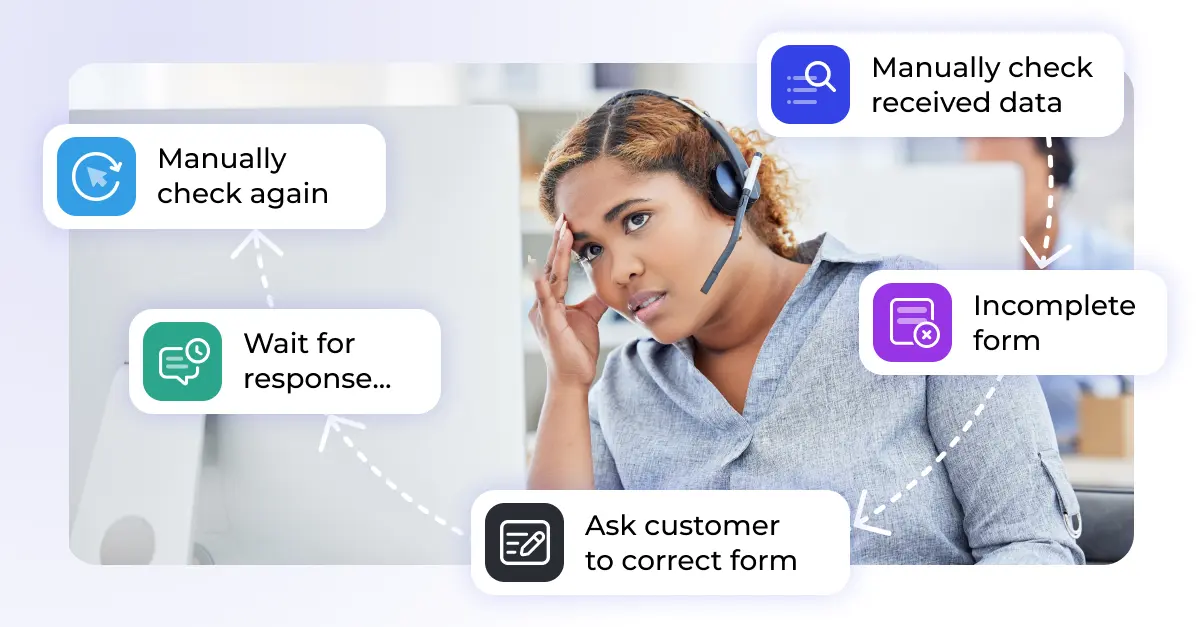
Every support team depends on accurate information. Return requests need order numbers, invoices require customer details, and product data must contain the right attributes. When information is incomplete, inconsistent, or incorrectly formatted, agents spend time chasing missing details instead of resolving issues.
Data validation helps prevent these problems before they affect downstream processes. By automatically checking incoming information against predefined rules, teams can identify errors early, improve data quality, and create a more reliable foundation for automation.
Why validating incoming information matters
Customer service teams receive data from many different sources: forms, emails, spreadsheets, PDFs, scanned documents, and customer uploads. Not all of this information arrives in a format that systems can immediately use.
A missing order ID may prevent a return from being processed. An incorrect phone number can stop agents from contacting a customer. Invalid product information can disrupt inventory updates or fulfillment workflows.
While individual errors may seem minor, their impact grows quickly when hundreds or thousands of records pass through a process every day. Poor data quality creates additional work, slows response times, reduces reporting accuracy, and limits the effectiveness of automation.
According to research from Harvard Business Review and Gartner, poor-quality data continues to be one of the most expensive and persistent operational challenges across organizations.
Common data quality problems in customer service
Many customer service issues can be traced back to incomplete or inconsistent information. Common examples include:
- Return requests submitted without an order number
- Phone numbers missing a country code
- Product spreadsheets that lack mandatory attributes
- Customer forms with incomplete contact information
- Scanned invoices that contain missing or unreadable fields
- Dates entered in different formats across systems
Without validation, these issues often require manual review. Agents must investigate missing information, contact customers for clarification, and correct records before the process can continue.
What data validation actually means
Data validation is the process of checking whether incoming information meets predefined quality requirements before it enters a workflow or system.
Different validation rules address different types of problems:
Presence checks
Verify that required information exists. For example, a return request must include an order ID.
Format checks
Confirm that values follow the expected structure. Dates may need to use YYYY-MM-DD format, while phone numbers must include a valid country code.
Range checks
Ensure values remain within acceptable limits. A discount field may allow values between 0 and 60 percent, but not 600 percent.
Cross-field validation
Compare related values. For example, an end date should always occur after a start date.
Reference validation
Check whether submitted values exist in another trusted source, such as a product catalog, customer database, or inventory system.
Why preprocessing comes before validation
Validation only works when information is accessible and structured. Before data can be validated, it often needs to be prepared.
This preparation step is commonly known as data preprocessing.
Preprocessing converts unstructured content into usable information. Examples include extracting text from scanned documents with OCR, reading values from spreadsheets, identifying document types, or converting email attachments into structured fields.
Once data has been extracted and organized, validation rules can evaluate whether the information is complete, accurate, and usable.
Learn more about data preprocessing.
Manual vs. automated validation
Many organizations still rely on manual validation. Agents open files, review information line by line, and contact customers whenever required details are missing.
This approach may work at low volumes, but it becomes difficult to scale. Manual reviews increase response times and create opportunities for human error.
Automated validation applies predefined rules immediately when information arrives. Instead of waiting for an agent to review a submission, systems can automatically identify missing fields, invalid values, or formatting issues.
More advanced workflows can even request missing information automatically and continue processing once the required data has been provided.
How automated data validation supports customer service
Automated validation reduces repetitive administrative work and allows teams to focus on customer interactions rather than data correction.
When combined with document processing, OCR, and workflow automation, validation can help organizations:
- Reduce manual review effort
- Improve data quality across systems
- Accelerate ticket handling
- Prevent workflow interruptions
- Increase the reliability of reporting and analytics
- Create more scalable customer service operations
How to get started
The most effective validation projects usually begin with a simple exercise:
- Identify your most common data quality problems.
- Define clear validation rules for each issue.
- Determine what should happen when a rule fails.
- Automate the highest-volume problems first.
Starting with a small number of high-impact validation rules often delivers measurable improvements quickly while creating a foundation for broader automation initiatives.
Putting it together
Data preprocessing and data validation solve different problems, but they work best together.
Preprocessing transforms raw information into structured data. Validation ensures that the resulting information is complete, accurate, and suitable for downstream processes.
Together they create a reliable foundation for automation, reporting, and efficient customer service operations.