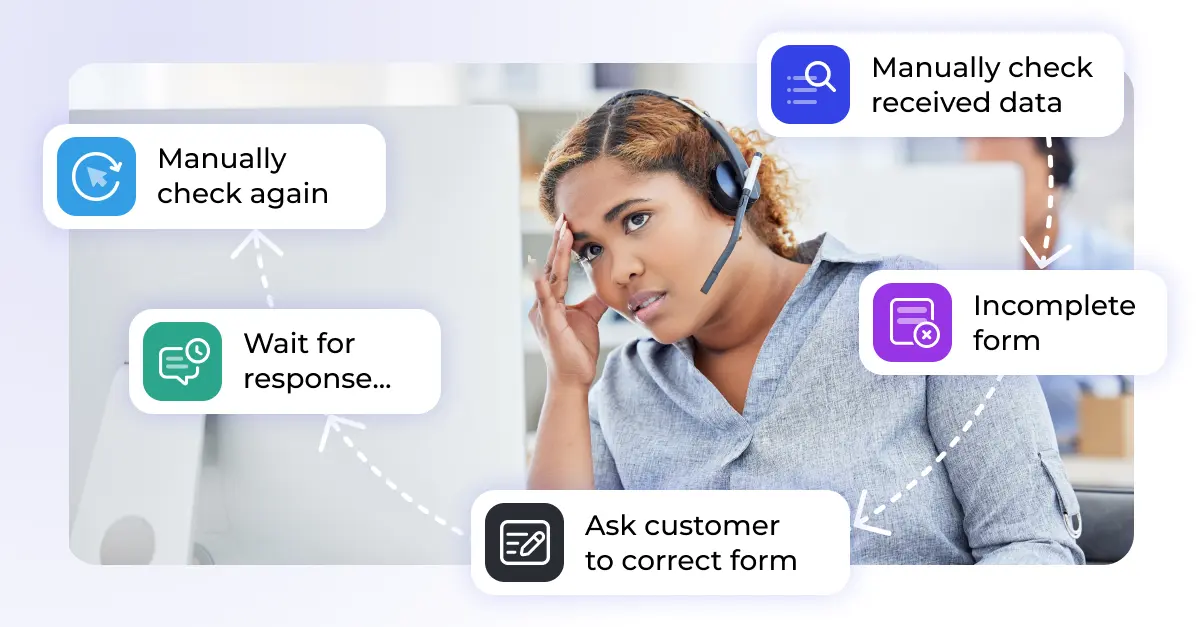

Repetitive tasks are even in 2026 still part of everyday customer support. They are rarely complex, but they take time, focus, and energy. In Zendesk, many of these tasks are still handled manually, even though they follow clear rules and patterns.
Automating repetitive work helps support teams focus on what really matters: understanding customer issues, solving edge cases, and improving service quality. Automation is not about replacing agents. It is about removing friction from their daily work.
What counts as a repetitive task in Zendesk?
Repetitive tasks are activities agents perform over and over again with little variation. Common examples include:
- Tagging and classifying incoming tickets
- Assigning tickets to the right team or agent
- Sending the same replies to similar requests
- Updating ticket status and fields
- Asking customers for missing information
- Manually checking and processing attachments
Each task may seem small, but together, they consume a significant part of an agent’s day.
Why repetitive tasks slow down support teams
Repetitive work affects more than just efficiency. It has a direct impact on data quality, agent satisfaction, and customer experience.
Agents spend less time on complex cases. Manual steps lead to inconsistent tagging and reporting. Important information is missed or added too late. Over time, motivation drops when work feels mechanical instead of meaningful.
According to a McKinsey study, a large share of repetitive activities across industries can be automated, freeing up time for higher-value work.
Repetitive Zendesk tasks worth automating first
Not every process needs to be atomated. The biggest gains usually come from tasks that are frequent, rule-based, and easy to standardize.
Ticket tagging and classification
Tags and fields are essential for routing, reporting, and automation in Zendesk. Manually tagging tickets based on subject lines or message content is slow and inconsistent.
Basic rules can be handled with native Zendesk automations. More advanced setups classify tickets based on message content, language, or extracted data. This results in cleaner reports and more reliable workflows.
If you want to dive deeper into native capabilities, the guide on Zendesk automations explains the foundations in detail.
Ticket assignment
Manually assigning tickets works in small teams. At scale, it becomes a bottleneck.
Automated assignment rules distribute tickets by brand, channel, topic, or workload. Round-robin logic helps balance queues and prevents individual agents from being overloaded.
This reduces response times and keeps work evenly distributed across the team.
Status updates and follow-ups
Tickets often remain open simply because no one updates their status. Automations can:
- Set tickets to pending when waiting for customer input
- Close inactive tickets after a defined period
- Send follow-up messages automatically
This keeps queues clean without agents having to track every ticket manually.
Automated replies to common requests
Many support requests follow the same pattern: password resets, order status questions, invoice requests, or basic product inquiries.
Zendesk macros and triggers can handle these cases reliably. Automated response emails can include help center links or request missing details right away, reducing unnecessary back-and-forth.
For a deeper look at how triggers and rules work together, see
<a href=”https://knots.io/blog/how-to-use-zendesks-triggers-and-automations/”>how to use Zendesk’s triggers and automations</a>.
Handling attachments and unstructured data
One of the most time-consuming repetitive tasks is working with attachments.
Agents regularly open PDFs, scans, spreadsheets, or documents just to copy information into ticket fields. Order numbers, customer IDs, addresses, or invoice details are often buried in files.
With preprocessing tools such as OCR and document parsing, this information can be extracted automatically and written directly into ticket fields. This reduces manual work and improves data quality from the start.
Native Zendesk automation vs. apps
Zendesk triggers, automations, and macros provide a strong foundation. They work well for straightforward, rule-based tasks.
As workflows grow more complex, maintenance becomes harder. Conditions overlap, exceptions increase, and changes become risky. This is usually the point where teams start looking at apps.
Zendesk apps can extend automation beyond native capabilities, for example by:
- Extracting structured data from attachments
- Syncing data with external systems
- Validating ticket information before processing
- Cleaning up tickets and attachments automatically
An overview of available solutions can be found on our Zendesk apps overview page.
How Knots helps automate repetitive Zendesk tasks
Knots focuses on repetitive tasks that are hard to manage with triggers alone.
Typical use cases include extracting data from documents, automatically filling ticket fields, validating required information, merging duplicate tickets or users, and cleaning up attachments to reduce storage usage.
These automations run in the background and support existing Zendesk workflows instead of replacing them. Agents spend less time on manual steps and more time solving real customer problems.
How to get started
The most effective approach is incremental:
- Identify tasks agents repeat every day
- Start with simple, rule-based automations
- Measure time saved and data quality improvements
- Expand automation where manual effort still dominates
Automation works best when it supports agents instead of adding complexity.
Conclusion
Repetitive tasks in Zendesk slow teams down, create inconsistencies, and distract from meaningful customer interactions.
Automating these tasks improves efficiency, data quality, and agent focus. Whether you rely on native Zendesk features or extend them with apps depends on your workflows and scale.
If you want a quick estimate of potential savings, our ROI calculator provides a practical starting point.
For more complex setups, reviewing your workflows often reveals quick wins you can implement immediately. Contact us to find out how our team can help you get started!